
WhatsApp is finally getting usernames, and yes, this is one of those updates people have been asking for since forever.
The idea is simple: instead of sharing your phone number with every new person, business, group contact, buyer, seller, client, or random “bro just message me once” person, you will be able to share a username. That means people can connect with you on WhatsApp without immediately getting access to your personal number.
For an app used by billions of people, this is a pretty big privacy shift.
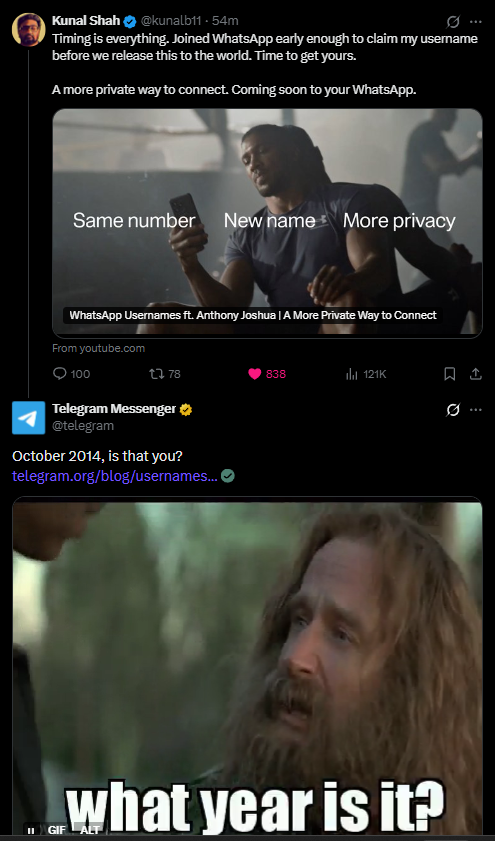
WhatsApp usernames are expected to launch fully later in 2026, but username reservations are beginning early so users can claim their preferred handle before the feature becomes available to everyone. Think of it like grabbing your Instagram handle before someone with the same name and zero shame takes it.
The move also comes at an interesting time for WhatsApp. MadFoxy recently covered the leadership buzz around Kunal Shah and WhatsApp, and this username rollout could become one of the platform’s biggest user-facing privacy updates in years.
What Are WhatsApp Usernames?
A WhatsApp username is a unique handle that people can use to contact you without needing your phone number first.
Until now, WhatsApp has been tied tightly to phone numbers. That worked well for close contacts, family, friends, and work groups, but it also created a privacy problem. If someone had your number, they could find you. If you were added to a group, your number could become visible to strangers. If you wanted to chat with a seller, customer, freelancer, client, or community member, you usually had to give away your number.
Usernames are meant to reduce that.
According to current reports, WhatsApp will not create a public searchable username directory. That means people cannot just browse names like a social network. They will need to know your exact username to contact you. WhatsApp is also working with an optional username key system, giving users more control over who can reach them through a username.
For official help details, WhatsApp already has support pages explaining how usernames work and how they help keep phone numbers private. You can read WhatsApp’s own guidance on creating and managing a username here: WhatsApp username help page.
Why This Matters for Privacy
This update is not just about looking cool with an @handle. It fixes one of WhatsApp’s oldest privacy headaches.
For years, WhatsApp has been private in terms of message content because chats are end-to-end encrypted. But contact discovery still depended on phone numbers. That meant your number could travel further than you intended, especially through groups, business chats, community links, and forwarded contact details.
With usernames, WhatsApp is trying to separate “I want to talk to this person” from “I want to give this person my personal phone number.”
That is a meaningful difference.
It makes WhatsApp feel a little closer to Telegram or Signal in terms of contact privacy, while still keeping the familiar WhatsApp experience. AP also reported that WhatsApp will not maintain a public username directory or offer username suggestions, which should help reduce random discovery and impersonation risks. You can read AP’s report here: AP on WhatsApp usernames.
This privacy-first approach also fits into the larger Meta ecosystem. We recently saw platforms like X add more identity and labeling systems, including paid partnership and AI labels on X. WhatsApp usernames are different, but they are part of the same bigger internet trend: platforms want cleaner identity signals without exposing too much personal information.
WhatsApp Username Rules
WhatsApp usernames will have a few basic rules. Based on current rollout details, usernames are expected to follow these conditions:
- They must be between 3 and 35 characters long.
- They can include lowercase letters.
- They can include numbers.
- They can include periods and underscores.
- They must include at least one letter.
- They must be unique.
- They should not impersonate brands, public figures, or other users.
So, something like smith, smith_tech, or madfoxy.news could work if available. Something made only of numbers likely will not work because WhatsApp requires at least one letter.
High-profile names and potentially misleading usernames may be restricted or reserved to prevent impersonation. That is a good thing because without it, every famous name on earth would probably be gone in the first five minutes. Internet people are fast. Sometimes too fast.
How to Reserve Your WhatsApp Username
The reservation option is rolling out gradually. If you do not see it immediately, do not panic and do not uninstall your entire digital life. It may simply not be available for your account or region yet.
Here is the step-by-step process.
1. Update WhatsApp
First, update WhatsApp to the latest version.
On Android, open the Google Play Store, search for WhatsApp, and tap Update if available. On iPhone, open the App Store, search for WhatsApp, and install the latest update.
The username option will appear only on supported versions, so updating the app is the first thing to do.
2. Open WhatsApp Settings
Open WhatsApp.
On Android, tap the three-dot menu in the top-right corner and go to Settings. On iPhone, tap the Settings tab at the bottom-right corner.
3. Go to Account
Inside Settings, tap Account.
This is where WhatsApp keeps privacy, security, and account-level controls. The username option is expected to appear here once it is available for your account.
4. Tap Username
Look for an option called Username.
In some versions, the option may appear directly under Account. In others, WhatsApp may place it around profile or privacy-related settings. Since the feature is rolling out gradually, the exact layout can vary slightly between Android and iOS.
If you do not see it yet, keep the app updated and check again later.
5. Choose Your Username
Enter the username you want.
WhatsApp should check availability instantly. If the name is already taken, try a variation. You can use periods, underscores, or numbers if needed.
For example:
yournameyourname_yourname.officialyourbrandyourbrand.inyourname2026
Try to keep it short, readable, and easy to share. A username like real_actual_final_user_927391 may be available, but your future self may not forgive you.
6. Save or Reserve It
Once WhatsApp confirms that your username is available, tap Save, Reserve, or the confirmation button shown in your app.
You may be asked to accept terms or confirm your choice. After that, the username should be reserved for your account.
7. Share It Carefully
Once your username is active, you can share it instead of your phone number.
This will be useful for creators, freelancers, small businesses, sellers, community admins, event organizers, and anyone who does not want to hand out their number every time they start a conversation.
For businesses, this could become a strong discovery and trust signal. It may also connect with future WhatsApp Business features, payments, and customer support flows. That matters because messaging platforms are slowly becoming business layers too. Just look at how X Money is trying to turn social identity into payments and transactions.
What If the Username Option Is Not Showing?
If you do not see the username option yet, it probably means the feature has not reached your account.
Try these steps:
- Update WhatsApp.
- Restart the app.
- Check Settings again.
- Wait for the rollout notification.
- Try again after a few days.
WhatsApp is rolling this out gradually, so availability may depend on country, device, app version, and account type.
Also, do not download random APKs or “username unlocker” apps. That is how people lose accounts and then write emotional posts about hackers. Stick to the official Play Store, App Store, or WhatsApp website.
Should You Reserve Your Username Early?
Yes, if the option is available.
With more than 3 billion users on WhatsApp, popular names will disappear quickly. Your first name, brand name, business name, creator handle, or common nickname may be claimed by someone else if you wait too long.
This is especially important if you use the same identity across platforms.
For example, if you already use a handle on Instagram, Facebook, X, YouTube, or your business website, try to reserve the same one on WhatsApp. It makes you easier to recognize and reduces impersonation risk.
This is also a good time for creators and businesses to clean up their naming. If your brand has been inconsistent across platforms, this is your chance to pick one clear handle and stick to it.
Tips for Choosing a Good WhatsApp Username
Pick something you would be comfortable sharing professionally.
If this is your personal account, use a simple name-based handle. If this is for business, use your brand name or a clean variation. Avoid random numbers unless they are part of your brand. Avoid confusing spellings. Avoid jokes that may age badly by next Thursday.
A good WhatsApp username should be:
- Easy to remember.
- Easy to type.
- Close to your real name or brand.
- Consistent with your other social handles.
- Free from unnecessary symbols.
- Professional enough for future use.
For businesses, this could become as important as a domain name or Instagram handle. You may not use it heavily on day one, but once customers start contacting brands through usernames, clean handles will matter.
Can You Change Your WhatsApp Username Later?
Current reports suggest usernames will be changeable, but WhatsApp may apply limits to prevent abuse, impersonation, or rapid username flipping.
That means you should choose carefully now. Do not grab a random username just because it is available. Pick something you can live with.
If you are running a brand, use your actual business name wherever possible. If the exact name is taken, use a sensible variation like your location, industry, or official suffix.
Will People Still See Your Phone Number?
Usernames are designed to reduce the need to share phone numbers with new contacts, but they may not hide your number from everyone in every situation.
Existing contacts may still see your number. Group visibility rules may also depend on WhatsApp’s final rollout settings. The key benefit is that strangers and new contacts should not need your phone number just to start a chat.
So this is a privacy boost, not a magic invisibility cloak. Close, but not Harry Potter level.
Why WhatsApp Is Doing This Now
WhatsApp has spent years being the default messaging app in many countries, especially India, Brazil, Indonesia, and other high-usage markets. But the phone-number-first model has always been a limitation.
As WhatsApp grows deeper into business messaging, communities, payments, channels, and customer support, usernames make more sense. They give users a safer way to connect without exposing personal numbers every time.
It also helps WhatsApp compete with apps that already offer username-based discovery. Telegram has had usernames for years. Signal added username support as part of its privacy upgrades. WhatsApp is late to this party, but when an app with billions of users makes the move, it still matters.
This is similar to how even small platform updates can become major user behavior changes. We saw that with AI tools, social labels, and product experiments like the JPEG social app shutdown, where product design choices quickly turned into broader internet conversations.
Final Take
WhatsApp usernames are one of the app’s most important privacy updates in years.
They will make it easier to chat without sharing your phone number, reduce unwanted contact exposure, and give users more control over how they are discovered. The feature is not fully launched yet, but reservations are starting early, which means now is the time to claim your preferred handle if the option appears in your app.
Update WhatsApp, check Settings > Account > Username, and reserve your name if it is available.
Because once usernames open to billions of people, the good ones will disappear fast. And no one wants to become yourname_739_final_real.